Terraria hosting
for worlds that never sleep.
Keep your server online while your PC is off, install mods through tModLoader, manage plugins with TShock, schedule automatic backups, and stay protected by Voxility Anti-DDoS.
- Auto-backups included
- Software choice
- World settings control

How do you want to set up your server?
Ready-to-launch Terraria servers
Vanilla Terraria and TShock run comfortably on 2 GB for a small group. Large worlds and tModLoader packs such as Calamity or Thorium benefit from 4–8 GB.
Terraria Copper
Terraria Iron
Terraria Gold
Terraria Platinum
Finish your setup
Start with Vanilla, tModLoader or TShock. You can switch any time from the Software tab in your panel.
Everything your world needs, on every plan
Fixed plans and Custom servers get the same hardware, panel and protection.
Performance
Fast hardware, protected network
- Ryzen 7 / Intel i9 CPU
- DDR4 RAM @ 3200MHz
- NVMe SSD storage
- Anti-DDoS Voxility 1 Tbps+
Full control
Your server, your rules
- GamePanel + sFTP access
- Vanilla, tModLoader or TShock
- World, seed and difficulty controls
- Scheduled restarts
Peace of mind
We take care of the rest
- Automatic backups
- Free world migration
- Instant setup
- Friendly support
Choose your RAM
Pick any size from 2 to 16 GB, then your server software, billing period and add-ons. The price updates as you go.
RAM
A small Vanilla or TShock world with a few friends.
Software and version
Billing
Add-ons
- High-frequency Ryzen 7 / Intel i9 CPU
- Voxility Anti-DDoS, 1 Tbps+
- GamePanel and sFTP access
- Automatic world backups
- Free world migration
I only paid 2.59$ for a server where i can play with my friends and the server works great, i didn't have any second of lag. If u guys are looking for a cheap hosting service use hythost, it's the best.
You get stable, good server for the price. I will recommend using them if you do not want to spend a lot of money for your server. And also support is really helpful and efficient.
My server got griefed and i was not able to restore any of the backups. HytHost replied to me within 1 day and within 2 days, the server was as great as new.
Everything you need to host a Terraria server
A Terraria world that stays online when you log off
A Terraria dedicated server runs independently of your PC, so friends can explore, build and fight bosses whenever they want. After activation, share the server address and optional password with your group.
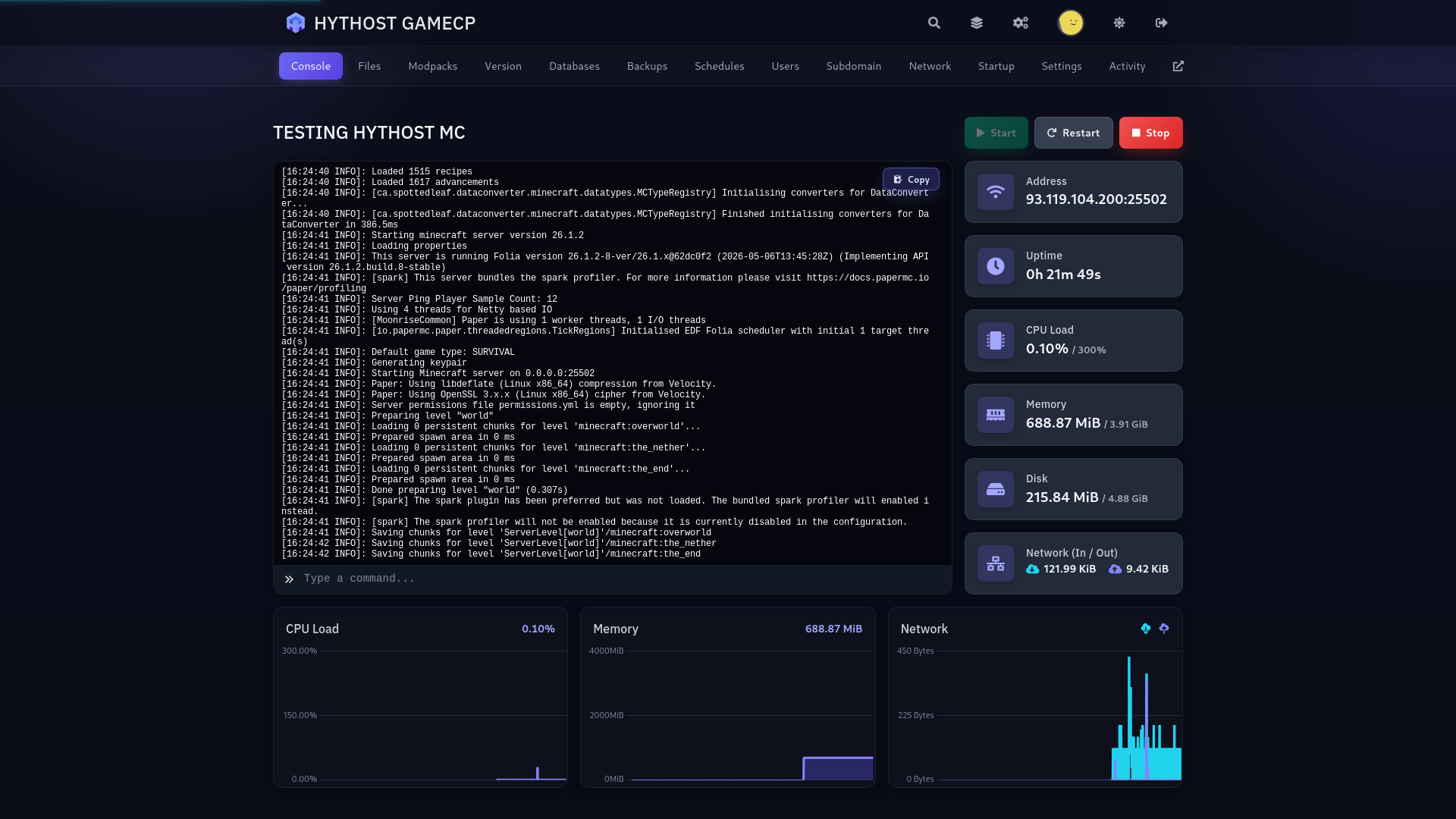
In Terraria, open Multiplayer, choose Join via IP, enter the supplied address and connect on the default port 7777. Your GamePanel gives you the live console, file access, backups and restart controls in one place.
Start with the plan that fits your current world and upgrade in place later. The same world and server configuration stay with you.
Choose Vanilla, tModLoader or TShock
Choose your server software while ordering. Vanilla is the official experience, tModLoader is built for content mods, and TShock adds administration, permissions and server-side plugins.
Nothing is preinstalled beyond the software you select, so you control every mod and plugin. You also pick the game version at checkout, from Terraria 1.4.1 up to the latest 1.4.5; the newest is preselected. Changed your mind later? Open the Software tab in your panel, pick another option and a version, and the server is reinstalled with your world, password, MOTD and player slots kept. A snapshot of the world is saved automatically before every switch.
One limit to know: tModLoader still runs Terraria 1.4.4, so it cannot open a world saved by the current Vanilla or TShock (1.4.5). The panel refuses that switch and tells you why; going from tModLoader to Vanilla or TShock works. Players joining a tModLoader server need tModLoader, which is free on Steam.
How much RAM does a Terraria server need?
2 GB is a practical starting point for a small Vanilla or TShock world. Choose 4–8 GB for tModLoader, larger groups, extensive exploration or heavier mod collections such as Calamity and Thorium.
Mods, world size and concurrent players all affect memory use. Pick one of the fixed 2, 4, 6 and 8 GB plans, or build a Custom server with any size from 2 to 16 GB for big modpacks. Upgrades keep your existing world in place.
Install tModLoader mods with full file access
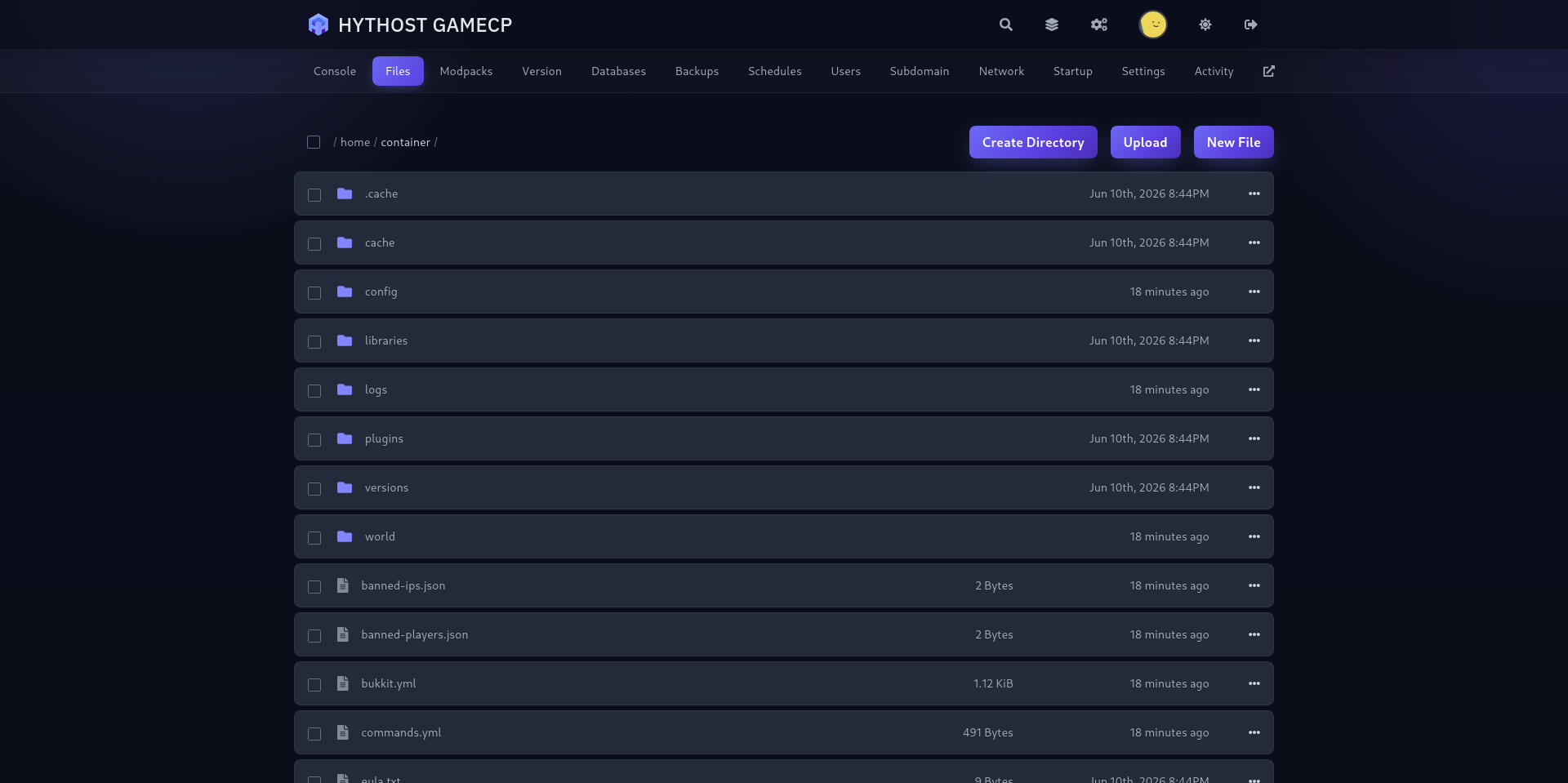
tModLoader gives you the familiar Terraria mod ecosystem without locking you into a preset pack. Upload your .tmod files to the mods/ directory through sFTP or the file manager, then manage the enabled list in enabled.json.
Because no third-party mod is installed automatically, you decide the exact versions and dependencies. Back up the world before a large mod update and restart the server after changing the enabled list.
Manage permissions and plugins with TShock
TShock is the administration-focused choice for public or community servers. Its /user and /group commands let you create accounts, assign permissions and control who can use administrative actions.
Upload compatible server-side plugins through the file manager or sFTP and tune TShock in config.json. Plugins are not installed by default, keeping the initial server clean and predictable.
World settings, player limits and automatic backups
Use the Startup tab to set the world size, difficulty — including Journey and Master — seed, message of the day, password and MAX_PLAYERS. Every plan starts with a sensible default player limit, which you can edit up to Terraria's limit of 255.
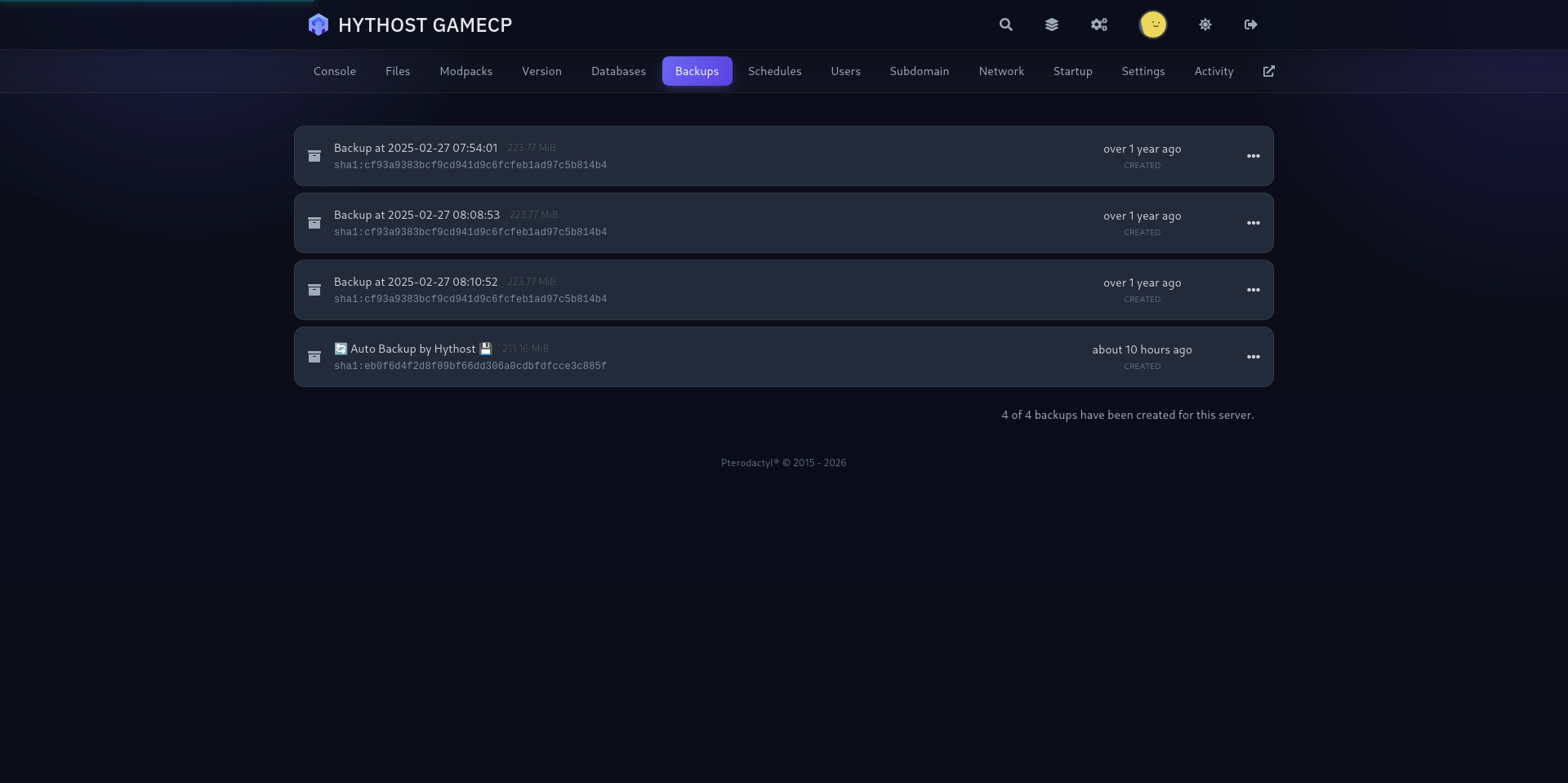
Automatic backups are included, and you can create a manual backup before changing software, mods or world settings. Scheduled restarts help keep a busy world responsive without requiring someone to watch the console.
PC and mobile multiplayer in Europe, protected against DDoS attacks
PC players on Steam or GOG and mobile players can join the same Vanilla server by IP and port, as long as the phone and the server run the same game version: pick the matching version at checkout or in the Software tab. Console crossplay is coming soon: Re-Logic is putting the finishing touches on it. tModLoader is PC-only, so mobile players cannot join a modded server.
European nodes provide low latency across the region, while Voxility filters attacks with over 1 Tbps of mitigation capacity. Already have a world elsewhere? Send us the .wld file and, for modded worlds, its matching .twld file; we will migrate them free of charge.
1 Tbps+ DDoS protection
Used frequently to protect online games, DNS, TCP services, HTTPS and HTTP websites. 23 PoP locations in 14 cities across the US, EU, and Asia.
- 1 Tbps+ DDoS protection capacity
- 23 PoP locations in 14 cities
- Used for online games and TCP/UDP services
- Coverage across the US, EU, and Asia
A modern panel built for Terraria
Live console, drag-and-drop file manager, one-click backups and scheduled restarts — everything a Terraria world needs, without touching a command line.
Frequently Asked Questions
Answers about Terraria hosting, server software, mods, player limits, backups and migration.
Your Terraria world, ready to grow.
Pick Vanilla, tModLoader or TShock, invite your group and manage the world from one straightforward panel.

