Palworld hosting
for worlds that never sleep.
Your Palworld world online around the clock — bases keep producing, eggs keep hatching, friends join whenever they want. Automatic backups, scheduled restarts and Voxility DDoS in front of every server.
- Auto-backups included
- Scheduled restarts
- Full settings control

Ready-to-launch Palworld Hosting plans
Palworld is RAM-hungry and worlds grow over time — pick the plan that fits your group, and upgrade in place as your base empire expands.
Palworld Starter
Palworld Plus
Palworld Pro
Palworld Ultra
- GamePanel + sFTP access
- Auto-updated server via SteamCMD
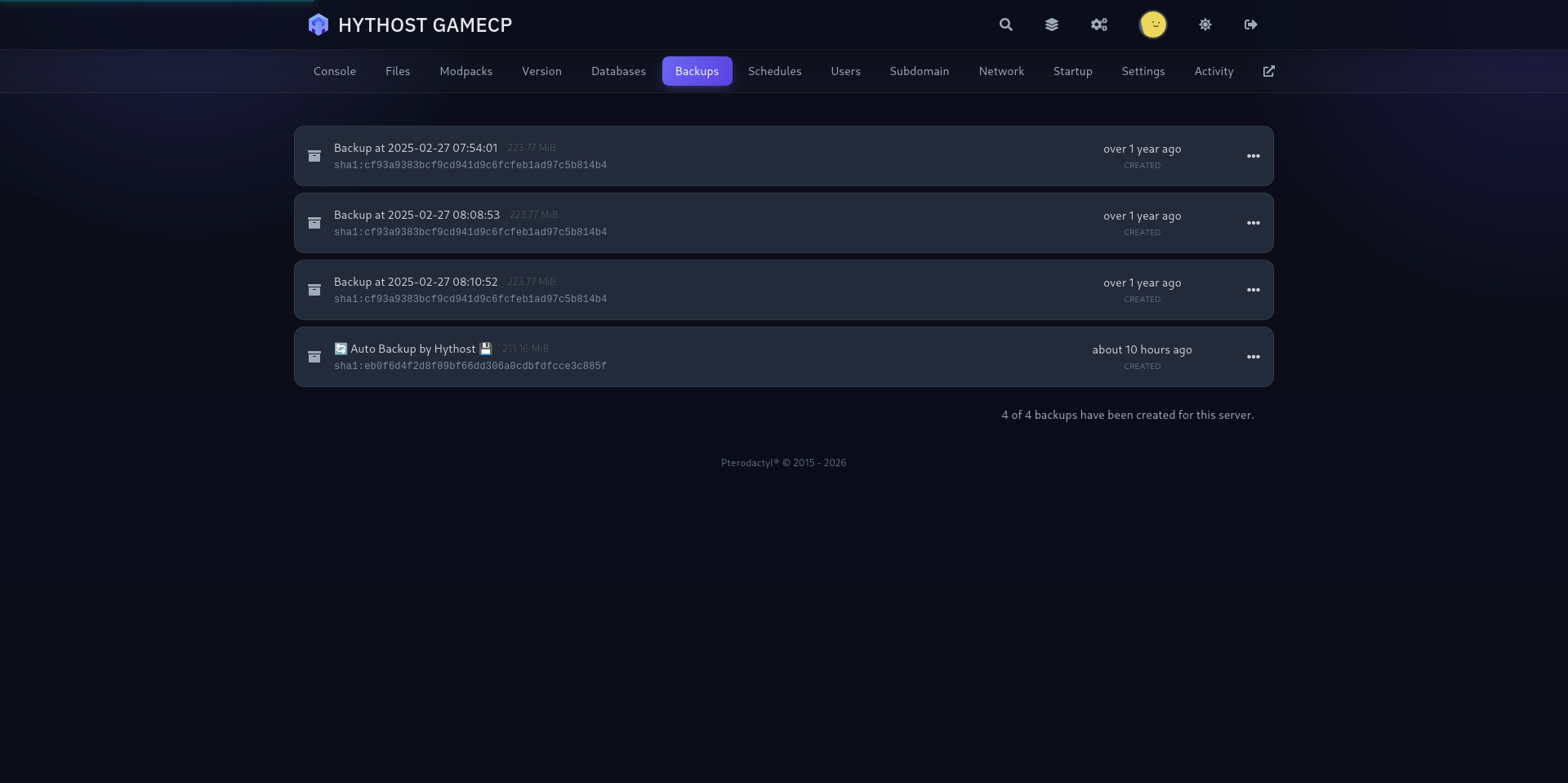
- Automatic world backups
- Scheduled restarts (panel)
- Full PalWorldSettings.ini access
- Instant setup
- NVMe SSD storage
- Anti-DDoS Voxility 1 Tbps+
- Crossplay ready (Steam, Xbox, PS5)
- Friendly support
- DDR4 RAM @ 3200MHz
- Ryzen 7 / Intel i9 CPU
I only paid 2.59$ for a server where i can play with my friends and the server works great, i didn't have any second of lag. If u guys are looking for a cheap hosting service use hythost, it's the best.
You get stable, good server for the price. I will recommend using them if you do not want to spend a lot of money for your server. And also support is really helpful and efficient.
My server got griefed and i was not able to restore any of the backups. HytHost replied to me within 1 day and within 2 days, the server was as great as new.
Everything you need to host a Palworld server
What a Palworld dedicated server is, and how to get started
Palworld is Pocketpair's open-world survival hit — catching and breeding Pals, building bases, automating production and exploring together. On the default co-op mode your world only exists while the host is playing; a dedicated Palworld server keeps the world online around the clock, so friends drop in and out on their own schedule, bases keep producing and eggs keep incubating even while you sleep.
With HytHost your server is provisioned automatically within minutes of payment: the official dedicated server is installed via SteamCMD, your panel login arrives by email, and your connection address is ready to share. Friends open Palworld, choose Join Multiplayer Game, enter your address, and they are in.
You are never locked in — start on a smaller plan and upgrade in place as your tribe and your base count grow, paying only the prorated difference.
How much RAM does a Palworld server need?
Palworld is one of the most RAM-hungry survival games you can host. Pocketpair's official requirement for a dedicated server is 16 GB of RAM, and more for bigger groups. 8 GB boots and suits a fresh world with a few friends, but it can run out of memory as the world grows, and a long-running world with many bases, automated farms and hundreds of stored Pals wants real headroom.
As a practical guide: 8 GB for a small group starting out, 12 GB for an active group of friends, 16 GB for larger communities and mature worlds, and 24 GB when you want a full 32-player world with heavy automation. That is exactly how our plans are sized — by RAM, not by an artificial slot price — and you can move up a tier at any time without losing your world.
Memory use also grows with world age, not just player count: the more you explore, build and breed, the bigger the save gets. If in doubt, start one tier above the minimum for your group.
Player slots, Pals and real performance
Palworld dedicated servers support up to 32 players. Each plan carries a sensible player cap matched to its RAM — up to 10 players on 8 GB, 16 on 12 GB, 24 on 16 GB and the full 32 on 24 GB — because a server that accepts more players than its memory can hold ends in rubber-banding and crashes, not fun.
Player count is only half the story: every base, breeding farm and conveyor of working Pals adds simulation load even when nobody is online. Our plans run on high-clock Intel i9 and Ryzen 7 CPUs with NVMe storage, and the server uses Palworld's multithreading flags out of the box, so world ticks stay smooth as your automation empire grows.
Need a different cap for your community? Open a ticket and we adjust the player limit within your plan's safe range.
Memory growth, scheduled restarts and long-running worlds
An honest note every Palworld admin should hear: even after the 1.0 release, it is well documented that the dedicated server's memory use climbs over long uptimes and is not fully released until a restart. This happens on every host and every operating system — it is a game issue, not a hardware one.
The community fix is simple and effective, and we make both parts easy: schedule an automatic nightly restart from your panel (takes a minute to set up, players see a clean 60-second reboot), and optionally disable invader raids in your settings, which measurably slows memory growth on busy worlds. Your world saves automatically before every restart.
Combined with RAM headroom in the plan tiers, this keeps long-running Palworld worlds stable for months — our own nodes run worlds that have never been wiped.
PalWorldSettings.ini: full control of rates and rules
Everything that makes your world yours lives in PalWorldSettings.ini, and you get full access to it from the panel's file editor — no support ticket needed. Tune XP rate, capture rate, egg hatching speed, day/night length, Pal spawn numbers, damage multipliers, death penalty (drop nothing, drop items, drop everything), base limits, and PvP on or off.
Want a relaxed builder's paradise with fast hatching and no raids, or a hardcore survival world where every death hurts? Change the values, restart, done. The server password, admin password and community-server visibility are controlled from the same file.
If you ever break something, restore a backup from the panel or reset the file to defaults — your world save is separate from the settings file, so experimenting is safe.
Low ping in Europe, with Anti-DDoS
Our nodes are located in Europe, so players from Romania, Moldova, the Balkans and across the EU get low, stable ping. Palworld is a co-op game rather than a twitch shooter, but latency still shows — in melee timing, in catching Pals, and in how snappy building feels. A well-placed European server keeps the whole session smooth.
Every server sits behind Voxility Anti-DDoS with over 1 Tbps of filtering capacity across 23 points of presence. UDP floods aimed at your server's port are absorbed upstream before they reach the machine, so your world stays reachable — backed by a 99.9% Uptime SLA.
Crossplay with Xbox and PS5, getting friends in, and free migration
Joining is simple: PC players (Steam and Mac) enter your server address (IP and port, default port 8211) in Palworld under Join Multiplayer Game. Set a server password in your settings if you want the world private.
Palworld dedicated servers support crossplay between Steam, Xbox, PS5 and Mac — including Xbox Game Pass players. Console players join through the in-game community server list, so for Xbox or PS5 friends you flip the Crossplay Community Lobby toggle in your panel's Startup tab (it registers your server on that list — consoles cannot join by IP) and keep a server password set so only your group gets in. The CrossplayPlatforms setting in PalWorldSettings.ini already allows all four platforms by default.
Already running a world — on your PC, a co-op session, or another hosting provider? We migrate it for free: send us your save folder (or your old panel login) via ticket or live chat, and we move your world, bases, Pals and settings onto your new server. From another dedicated server, players keep their characters too. From a co-op or single-player save, the host's character does not carry over by itself — the transfer guide explains why and what we can do about it.
1 Tbps+ DDoS protection
Used frequently to protect online games, DNS, TCP services, HTTPS and HTTP websites. 23 PoP locations in 14 cities across the US, EU, and Asia.
- 1 Tbps+ DDoS protection capacity
- 23 PoP locations in 14 cities
- Used for online games and TCP/UDP services
- Coverage across the US, EU, and Asia
A modern panel built for Palworld
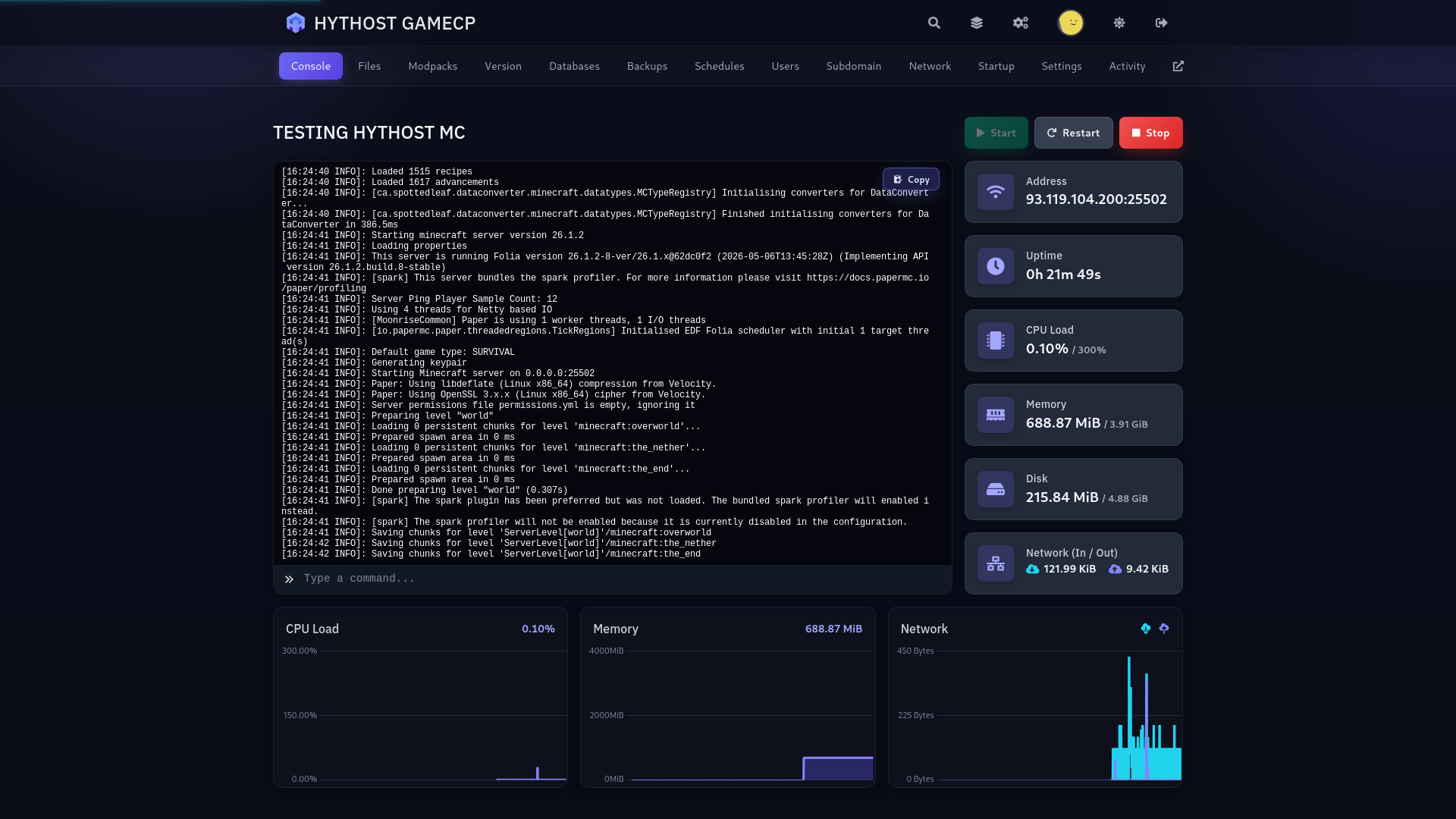
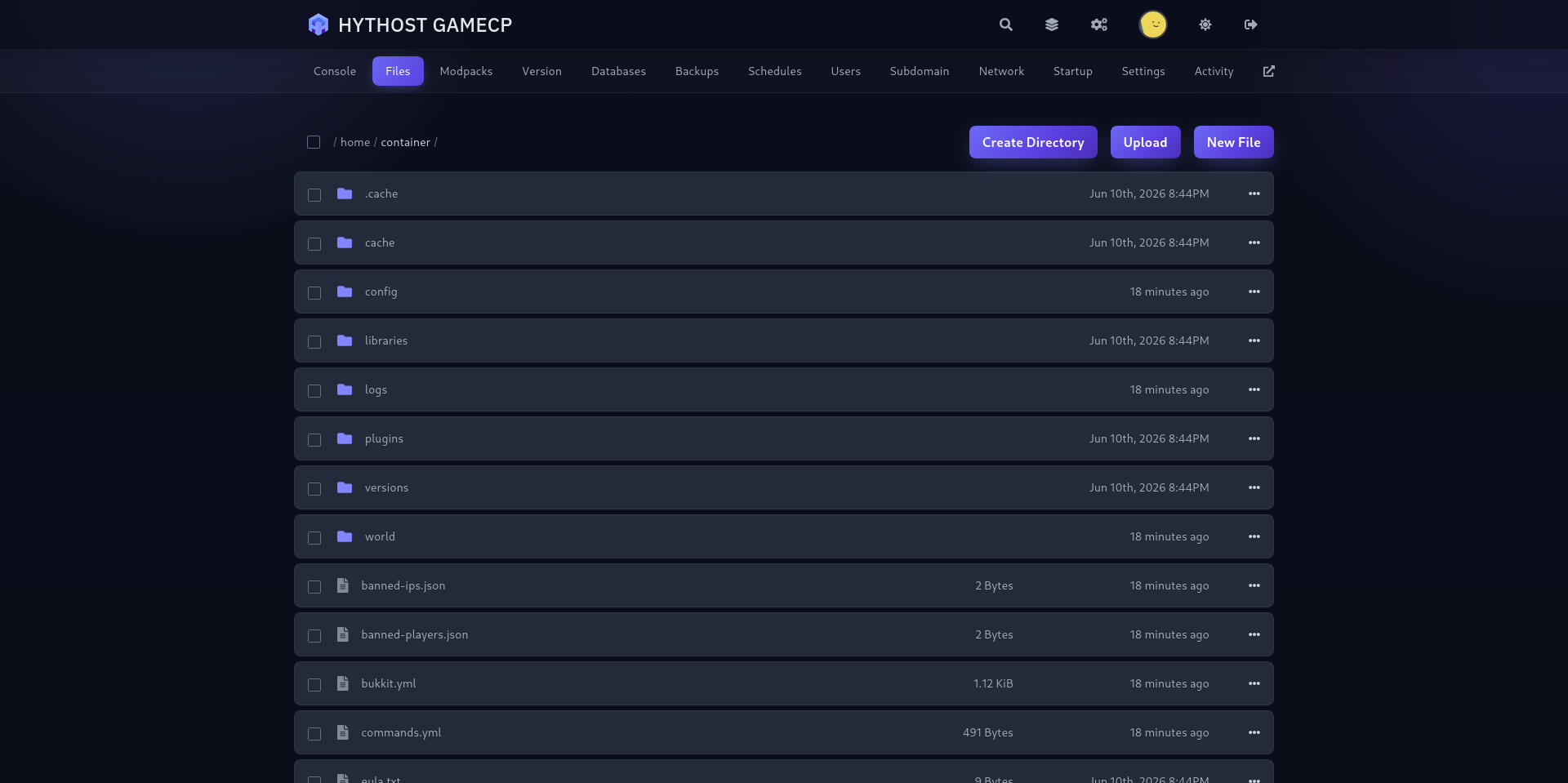
Live console, drag-and-drop file manager, one-click backups and scheduled restarts — everything a Palworld world needs, without touching a command line.
Frequently Asked Questions
Answers about Palworld hosting: joining, RAM sizing, world settings, restarts, backups and migration.
Your Pal world, live in minutes.
Instant setup, automatic backups, Voxility DDoS in front. We keep the world running — you build the empire.