Discord Bot 512MB
€
0.89
Monthly
- 512 MB RAM DDR4
- 1 bot
- 8 GB NVMe Storage
- 1 MySQL database
- 3 backups
Upload your bot, pick your language, press start. It stays online whether your computer is on or not — with a MySQL database, automatic restarts and backups on every plan.
Your code, our uptime
“The server works great, I didn't have any second of lag.” — Gigi Bos, Trustpilot
Every plan runs the same hardware and the same panel. More RAM means more bots, bigger caches and heavier libraries — start small and move up in place, keeping your files and your database.
A plan runs one bot out of the box. Running several side by side is set up for you — open a ticket after ordering and we will arrange it at no extra cost.
Choose it now and it is set up for you. You can change it later from the panel.
The plan resources are divided equally between them.
You pay
€
Renews at the same price. Cancel any time.
The server works great
I only paid 2.59$ for a server where i can play with my friends and the server works great, i didn't have any second of lag. If u guys are looking for a cheap hosting service use hythost, it's the best.
Price to performance is really good
You get stable, good server for the price. I will recommend using them if you do not want to spend a lot of money for your server. And also support is really helpful and efficient.
My overall experience has been great
My server got griefed and i was not able to restore any of the backups. HytHost replied to me within 1 day and within 2 days, the server was as great as new.
Free Discord bot hosting exists and it is fine for testing. It stops being fine when the bot matters. Here is the difference, without the marketing.
| Typical free host | HytHost | |
|---|---|---|
| Stays online | Renew by hand every few days | Runs until you stop it |
| RAM | 256 MB | 512 MB to 8 GB |
| Storage | Around 512 MB | 8 GB to 100 GB NVMe |
| MySQL database | Not included | Included on every plan |
| Restart after crash | Manual | Automatic |
| Backups | None | Automatic |
| Support | Community chat | Ticket and live chat with a person |
Free tiers change their limits often. Compared against the largest free Discord bot host in August 2026.
| Plan | RAM | Bots | NVMe | Databases | Backups | Price |
|---|---|---|---|---|---|---|
| Discord Bot 512MB | 512 MB RAM DDR4 | 1 bot | 8 GB NVMe Storage | 1 MySQL database | 3 backups | €0.89/mo |
| Discord Bot 1GB | 1 GB RAM DDR4 | Up to 2 bots | 15 GB NVMe Storage | 2 MySQL databases | 5 backups | €1.49/mo |
| Discord Bot 2GB | 2 GB RAM DDR4 | Up to 4 bots | 25 GB NVMe Storage | 3 MySQL databases | 8 backups | €2.49/mo |
| Discord Bot 4GB | 4 GB RAM DDR4 | Up to 8 bots | 50 GB NVMe Storage | 5 MySQL databases | 10 backups | €3.99/mo |
| Discord Bot 8GB | 8 GB RAM DDR4 | Up to 15 bots | 100 GB NVMe Storage | 8 MySQL databases | 15 backups | €6.99/mo |
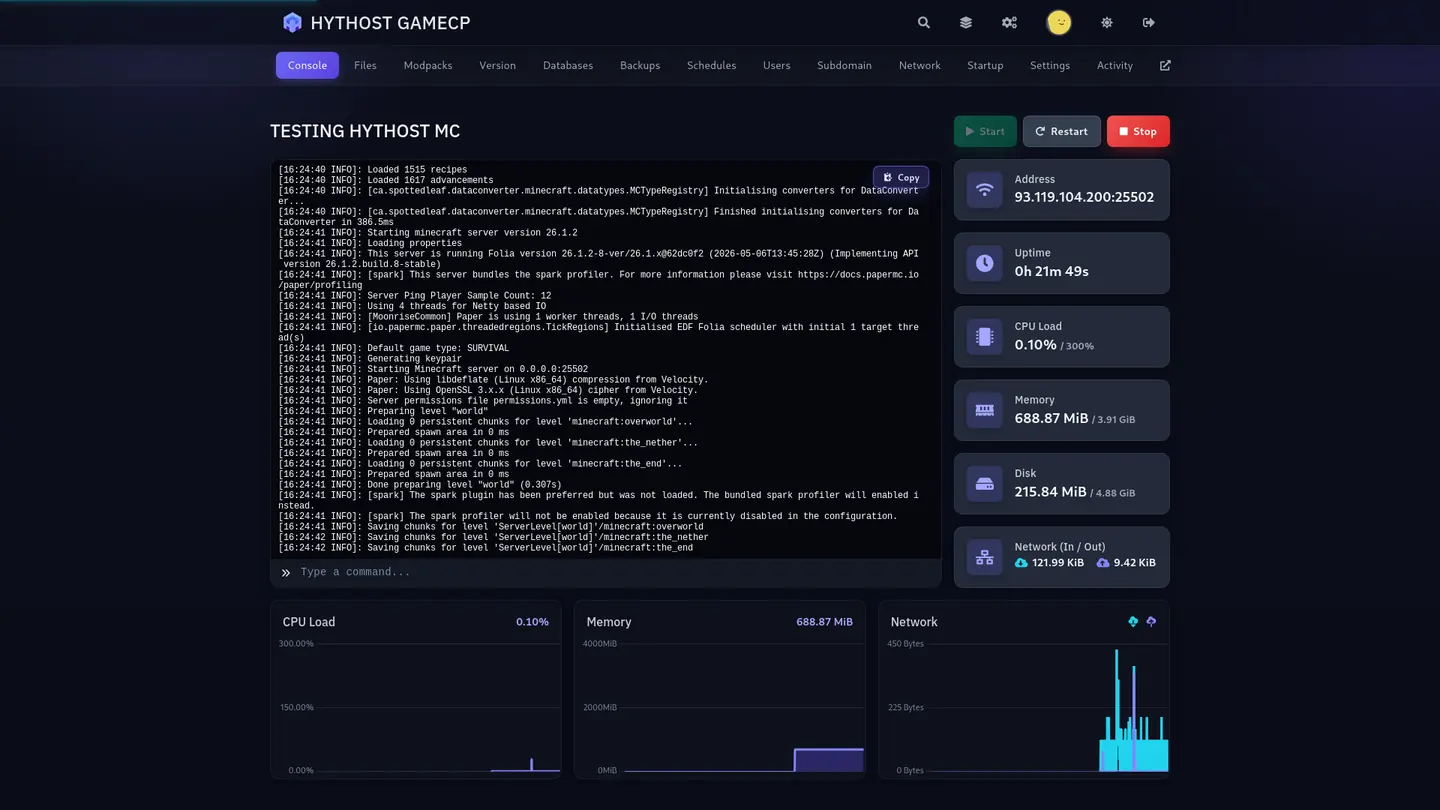
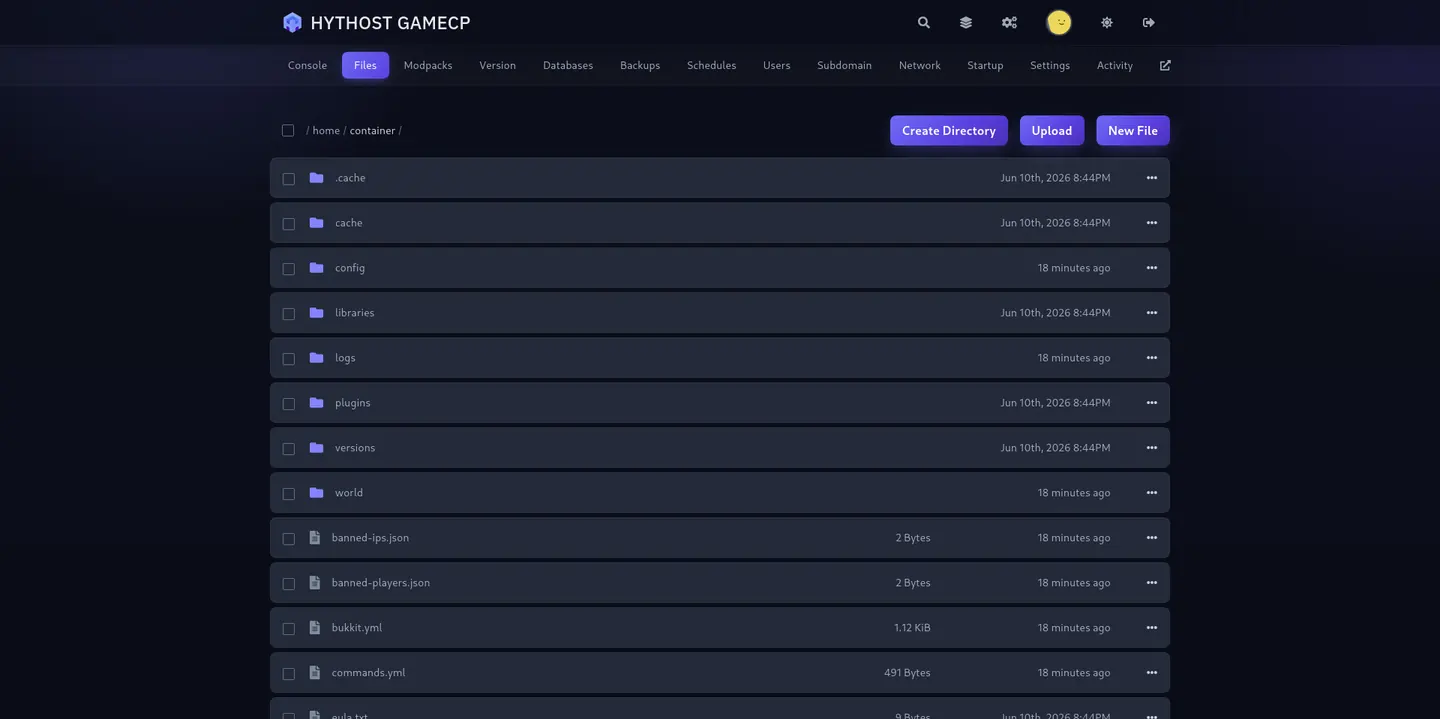
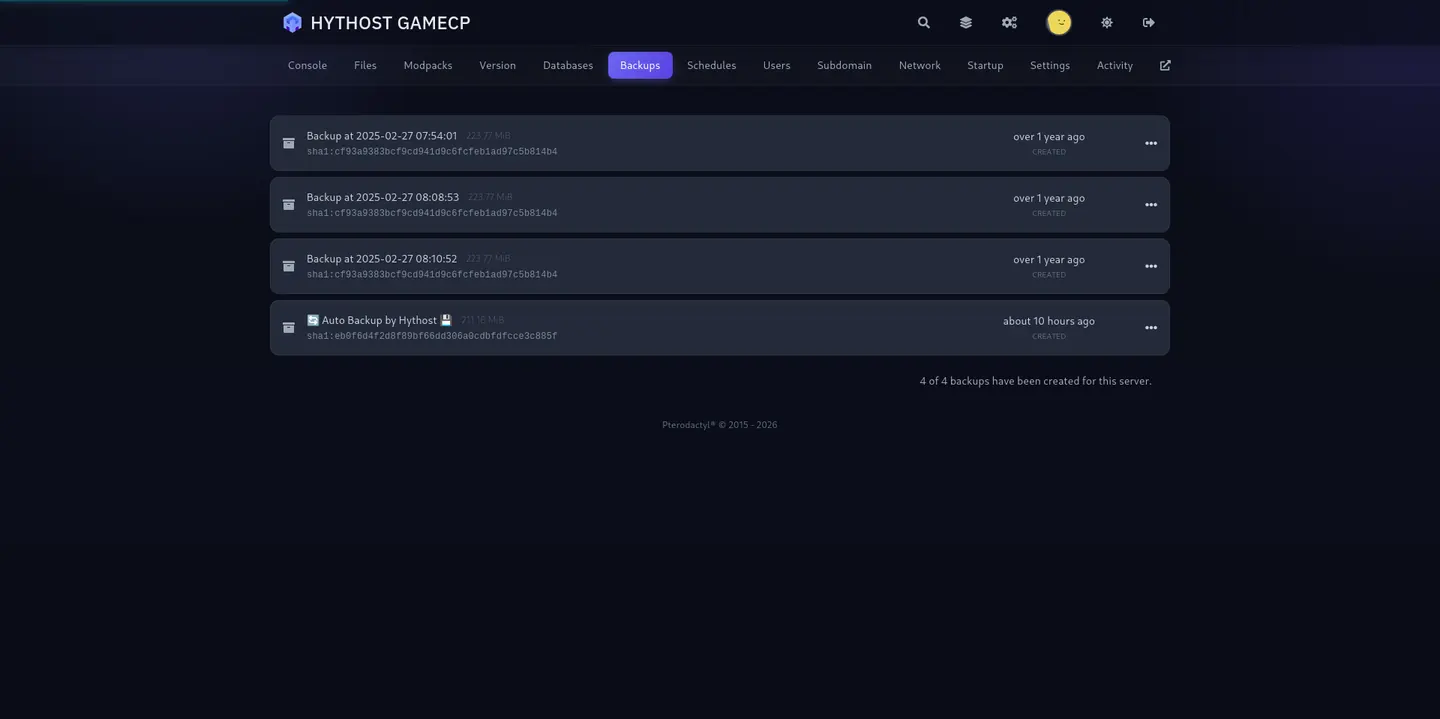
Live console, drag-and-drop file manager, sFTP, scheduled restarts and one-click backups. Everything you need to run a bot without opening an SSH session.
A DDoS attack floods a server with junk traffic until nothing legitimate gets through. Bots that moderate large communities do get targeted, and on most hosts protection is a paid extra. Here it is on by default, on every plan.
Protection active
A Discord bot is a small program that holds an open connection to Discord and reacts to what happens in your servers. It only works while that program is running. On your own machine that means the bot dies when you close the laptop, when Windows updates overnight, or when your internet drops for thirty seconds — and your members notice before you do.
Discord bot hosting is simply that program running somewhere that never turns off. You upload your code, pick the language it is written in, press start, and the bot stays online whether or not your computer is. If the process crashes, the panel restarts it. If you push a fix to Git, you pull it in from the file manager and restart.
Setup is instant: pay, and within a minute the panel login is in your inbox with an empty server waiting for your files. If you want the whole thing step by step first, read how to host a Discord bot around the clock.
Pick the runtime that matches your code when you order; it takes one click and can be changed later from the panel. Node.js runs anything built on discord.js, and also runs TypeScript directly without a build step. Python covers discord.py and Pycord, which is what most tutorial bots are written in. Java runs JDA and Discord4J projects from a jar.
Version choice is yours from the panel — recent Node.js and Python releases are available, and switching is a dropdown and a restart, not a support ticket.
If you are not sure which you need, look at your project: a package.json means Node.js, a requirements.txt means Python, a .jar means Java.
Less than most people expect, and more than the free tiers give you. A bot is not compute-heavy — it waits on a websocket and reacts — so the memory it uses is mostly the library and the cache of servers and members it keeps in memory.
In practice: a bot written in Go idles around 15 to 30 MB, one in Python around 50 to 80 MB, one in discord.js around 60 to 120 MB and noticeably more once it has cached a few large servers, and a Java bot on JDA starts around 150 to 250 MB before the JVM overhead. That is why our entry plan is 512 MB — comfortable for a real bot on any of those, where the common free tier gives 256 MB.
Move up when your bot joins more servers, caches more, handles media, or when you want to run several bots side by side. Upgrades keep your files, your database and your address.
Music bots are the one Discord workload that genuinely uses CPU, because audio has to be decoded and re-encoded in real time for every listener. That is what Lavalink exists for: it moves the audio work out of your bot into a dedicated Java service, so your bot stays responsive while music plays.
You can run Lavalink alongside your bot on the same plan if you have the RAM for both — the 2 GB tier upward is a sensible starting point — or keep it on its own server so a busy queue never slows your commands down.
If you would rather not write a music bot at all, ask us: we can set up a ready-made one for you on your plan.
Every bot here runs in its own isolated container on Pterodactyl, the same open-source panel used across the game hosting industry. If you have run a Minecraft server in the last few years, you already know the interface.
Practically, that means a live console you can type into, a file manager that handles drag-and-drop and archives, sFTP with your own credentials, scheduled tasks, resource graphs showing real CPU and memory use, and subusers so a co-developer can help without getting your billing account.
Isolation matters more than it sounds: your bot has its own memory and its own disk, so a neighbour with a memory leak is not your problem.
Most bots that do anything interesting need to remember something — levels, warnings, economy balances, per-server settings. Every plan includes at least one MySQL database with its own credentials, reachable from your bot, so you are not stuck writing to a JSON file that a restart can corrupt.
Storage is NVMe throughout, from 8 GB on the entry plan to 100 GB on the largest. That is generous for code and logs, and leaves room for cached media if your bot handles it.
Automatic backups are included, and you can trigger one by hand before a risky deploy. Restoring is one click.
Our nodes are in Europe, behind Voxility filtering with over 1 Tbps of capacity across 23 points of presence. For a Discord bot, latency to your users barely matters — your bot talks to Discord's servers, not to your members directly — so what actually counts is that the connection to Discord is stable and the machine is not oversold.
We back it with a 99.9% Uptime SLA. If a node needs maintenance you get told in advance, and your bot comes back on its own afterwards.
The same plans host Telegram bots. Write yours in Python with python-telegram-bot or aiogram, or in Node.js with grammY or Telegraf, upload it the same way as a Discord bot, and it stays online with automatic restarts. Long polling works out of the box, so you need no domain and no SSL certificate.
We host official bots only: a bot created with @BotFather that talks to Telegram through the Bot API. Userbots, which automate a personal Telegram account through MTProto clients such as Telethon or Pyrogram, are not allowed. Neither are unsolicited mass messages, scraping users or groups, or bots that download and share media you have no rights to. Breaking these rules is treated as abuse and the service is suspended.
Answers about hosting a Discord bot: languages, uploading your code, keeping it online, databases and moving from another host.
Node.js, Python and Java are available when you order, covering discord.js, TypeScript, discord.py, Pycord, JDA and Discord4J. You pick the runtime with one click and can change it later from the panel.
Three ways, whichever suits you: drag and drop the files into the panel file manager, connect over sFTP with your own credentials, or point the server at a Git repository and pull. Dependencies install from your package.json or requirements.txt on start.
Yes. The server runs continuously and the panel restarts your bot automatically if the process exits. There is nothing to renew manually and nothing that sleeps after a period of inactivity — that is the main difference from free hosting.
For most bots 512 MB is comfortable. Go to 1 GB or more if your bot serves many large servers, caches a lot, handles media, or if you want to run several bots side by side. You can upgrade at any time and keep your files and database.
Yes, if the plan has enough memory — the plans are sized at roughly one bot per 512 MB. Setting up additional bots on your server is done on request, so open a ticket after ordering and we will arrange it.
Yes. Every plan comes with at least one MySQL database with its own credentials, and the larger plans include more. You get the host, user and password in the panel.
Instant. The server is created automatically once payment is confirmed, and the panel login arrives by email within about a minute. If you do not see it, check your spam folder.
Yes. Music bots work, and you can run Lavalink alongside your bot if the plan has the memory — 2 GB upward is a sensible start. Audio is the one Discord workload that genuinely needs CPU, so give it room.
Yes, free of charge. Send us your files or your old panel login by ticket or live chat and we will move the bot, its dependencies and its database across.
The panel restarts it automatically, and the console keeps the output so you can see what happened. You can also set a scheduled restart if your bot benefits from one.
Any time. Upgrades apply in place — same server, same files, same database — and you pay only the prorated difference.
Card, including Google Pay and Apple Pay, PayPal, and paysafecard, Skrill or Neteller. Billing is monthly, quarterly, six-monthly or yearly, with the longer terms discounted.
Yes. The same plans run Telegram bots written in Python (python-telegram-bot, aiogram) or Node.js (grammY, Telegraf), as long as they are official bots created with @BotFather and using the Bot API. Userbots that automate a personal account, mass messaging and scraping are not allowed.
Instant setup, automatic restarts, a real panel and a person to talk to when something breaks.


We use strictly necessary cookies to run the site, and analytics and advertising measurement only if you allow it. Read the Cookie Policy